
Many Amazon users hesitate before they check their gift card balance. A fear exists that the balance may be reduced by mistake or applied automatically to an order. This fear does not come from Amazon’s rules. This fear comes from misunderstanding how balance view and balance use stay separated.
This guide explains safe balance check methods, clears false beliefs, and builds trust, so readers feel confident every time they open their account.
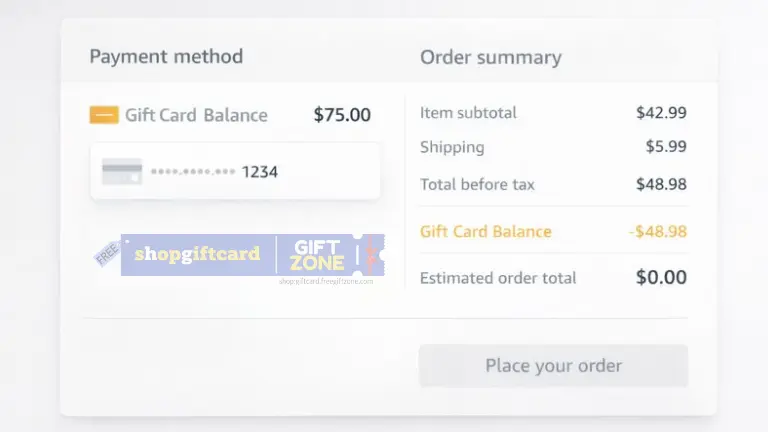
What Gift Card Balance Means Inside an Amazon Account
A gift card balance works as stored store credit. This credit stays inactive until an order reaches final confirmation. The balance does not react to page visits, refresh actions, or account views.
Amazon designed this separation intentionally to keep account activity clear and controlled, where the balance view is meant only to show information and not to trigger any payment action by itself. Actual payments need a deliberate approval step, and once this difference is understood properly, confusion and fear around accidental spending reduce on their own.
Step-by-Step Method to Check Gift Card Balance From Amazon Pay
Amazon has updated its interface to make this easier. You can use these shorter steps to see the exact same information with fewer clicks.
Option 1: Using the Amazon Mobile App (Fastest)
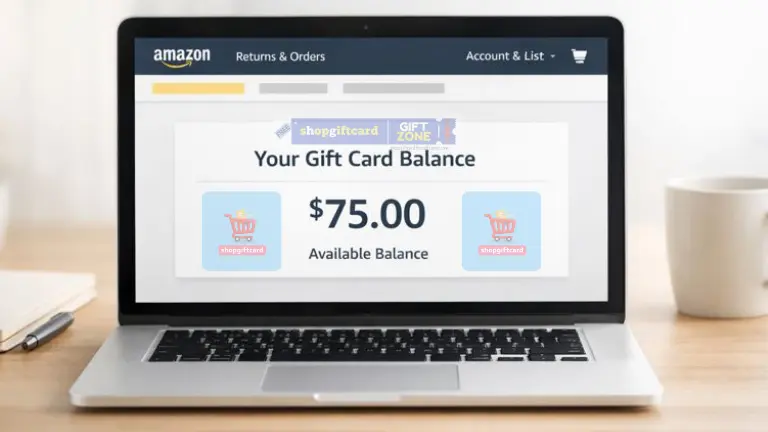
- Open the App: Launch the Amazon app and sign in.
- Tap the Menu: Tap the Menu icon (three horizontal lines
≡) usually located at the bottom right. - Tap “Amazon Pay” or “Gift Cards”:
- Note: In many regions (like India), there is a dedicated “Amazon Pay” button right in this menu.
- Global/US: You may see a button labeled “Gift Cards”.
- View Balance: Your total gift card balance is displayed immediately at the top of the screen.
- You do not need to click anything else. The number shown is your current, available credit.
Option 2: Using the Desktop Website
- Log In: Go to Amazon and sign in.
- Go to Account: Click on “Returns & Orders” or “Account & Lists” at the top right.
- Select “Gift Cards”: Look for the button explicitly labeled “Gift Cards” (usually a yellow or white box icon).
- View Balance: The top of the page will display: “Your Gift Card Balance: [Amount]”.
- Note
- These steps show the balance already stored in your account. If you have a brand new gift card code, typing it into Amazon will redeem it immediately. You cannot check a new code’s value without loading it onto your account.”
- In some regions (like the US or UK), the balance is simply called “Gift Card Balance.”
- In other regions (like India), it is called “Amazon Pay Balance.”
Using Checkout to Confirm Balance Without Risk
Some users prefer balance confirmation close to purchase time. This method also stays safe when handled carefully.
At checkout, Amazon shows the available gift card balance before order confirmation. The balance appears clearly near the payment details.
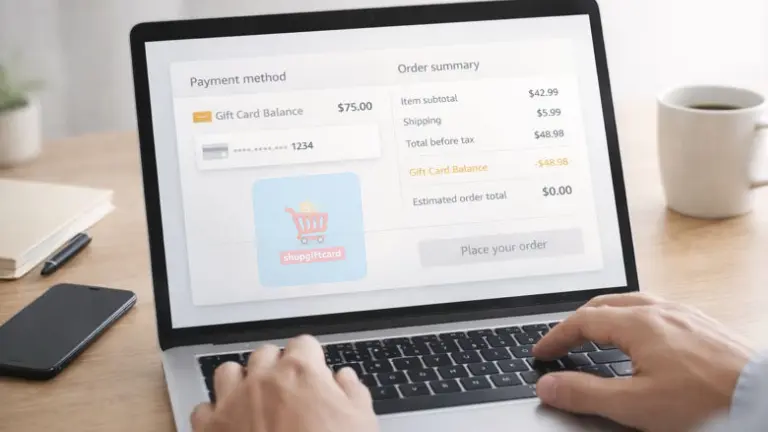
As long as the final order button remains untouched:
- No balance reduces
- No payment processes
- No charge applies
Actions That Affect Balance and Actions That Do Not
This table removes confusion completely.
| Action | Balance Effect |
|---|---|
| Account balance page open | No change |
| Page refresh | No change |
| Checkout page view | No change |
| Order confirmation | Balance reduces |
| Order cancel | Balance restores |
What to Do When Balance Looks Unexpected
Sometimes, balance appears different from what is expected. This usually happens after refunds, partial payments, or order changes.
You should do these things:
- Review recent order history
- Check refund status
- Compare dates and amounts
If confusion remains, Amazon support explains balance movement clearly through official help pages.
Frequently Asked Questions
Does checking the balance ever reduce the value?
Checking your balance does not reduce its value in any situation. A balance check only shows the available amount linked to your account and does not trigger any deduction, hold, or transaction in the background. You can open the balance page as many times as you want without any risk to the amount.
Can balance move without order confirmation?
Balance movement does not happen unless you deliberately approve an order. Until you place an order and confirm the payment step, the balance remains untouched. Viewing items, adding products to the cart, or checking prices does not affect the balance in any way.
Is a daily balance check safe?
Daily balance checks are completely safe and do not cause any problem with your account. Many users check their balance regularly to track spending or refunds, and this activity does not flag the account or change how the balance works.
Does the redeemed balance appear immediately?
In most cases, the redeemed balance appears instantly after successful redemption. Sometimes the page needs a short refresh for the updated amount to show correctly. Even in rare delays, the balance is already credited in the background and becomes visible shortly after.
Conclusion
Amazon gift card balance remains safe during all normal balance viewing actions and does not change unless you confirm a purchase.
Most fear around balance checks comes from misunderstanding how the system works, not from any real risk in the process. Once the difference between simply viewing your balance and actually using that balance for payment becomes clear, checking the balance feels like a routine step and stays calm and worry-free.